Databases for your apps
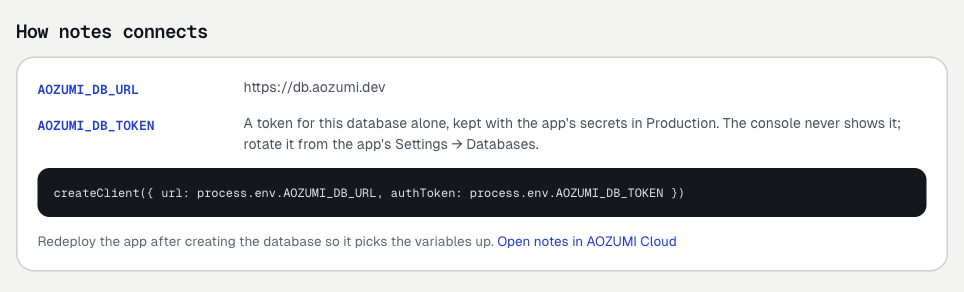
An app on AOZUMI Cloud connects to AOZUMI DB through two variables, AOZUMI_DB_URL and AOZUMI_DB_TOKEN. AOZUMI sets them for you, whichever way the app gets its database.
Two ways to get one
- A database of the app's own, created for one environment. It lives and dies with the app.
- A standalone database you hand over to one environment. It stays in the workspace, and you can take it back.
Each app environment has exactly one AOZUMI DB database, its own or a handed one, never both. You need access to AOZUMI DB and the owner or admin role; see Get access.
From the app's settings
- Open the app's Settings › DatabasesIn the Cloud console, open the app, then Settings, then Databases.
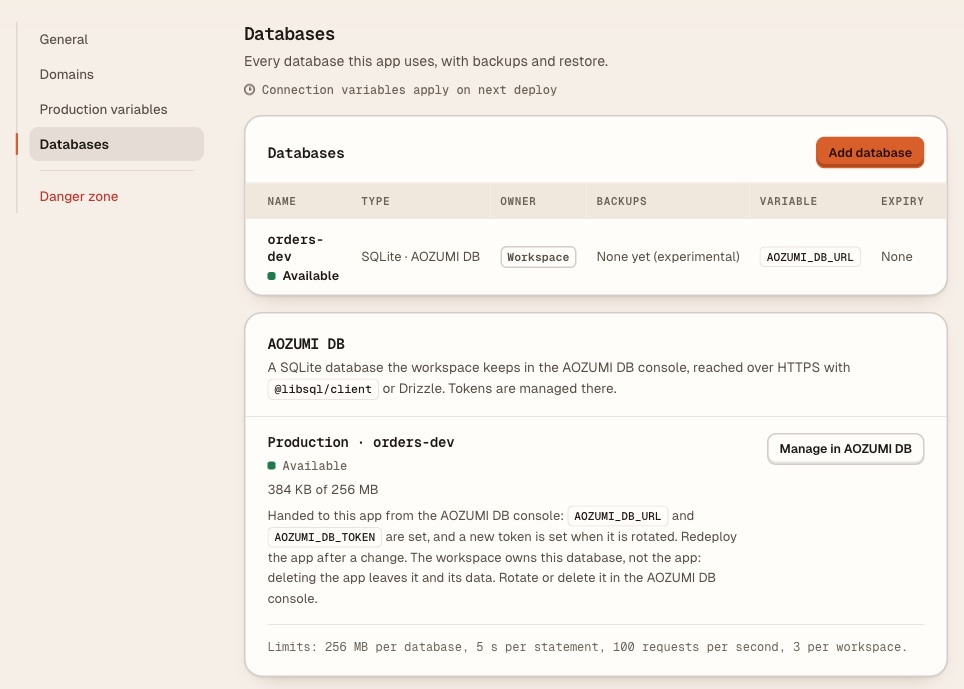
- Add the databaseSelect Add database, choose SQLite (marked Experimental), then Create SQLite database. This creates one for Production and sets both variables at once.
- RedeployThe running app picks up the variables on its next deploy.
The Databases list shows it as SQLite · experimental, owned by This app. The app's panel offers Rotate token and Delete for it. A database handed over from the AOZUMI DB console shows as SQLite · AOZUMI DB, owned by Workspace, and Manage in AOZUMI DB opens it there.
From the AOZUMI DB console
This works for any environment of an app, Production or not. The app must have been deployed once.
- New databaseOn Databases, select New database and choose For an app.
- Pick the app and environmentOnly environments without a database are offered. Select Create database.
- RedeployAOZUMI sets both variables for that environment. Redeploy the app to connect.
Hand over a standalone database
Start with a standalone database, fill it from your laptop, then give it to an app. On the database's page, an owner or admin selects Hand to an app and picks one app environment.
- AOZUMI sets that environment's
AOZUMI_DB_URLand a read-and-writeAOZUMI_DB_TOKEN, replacing values set by hand. They apply on the next deploy, so redeploy. - The app's Settings › Databases lists it with Manage in AOZUMI DB. Rotate and delete it from the AOZUMI DB console, not from the app.
Take back, on the same page, removes both variables from the app if they still hold what AOZUMI set. A value someone changed by hand stays, and the console names it. Taking back does not rotate the token, so the running deploy keeps working until someone rotates it.
Rotate an app's token
- A database of the app's own: select Rotate token in the app's Settings › Databases. AOZUMI sets the new token; redeploy the app.
- A handed database: select Rotate token on its page in the AOZUMI DB console. Every token stops working, including the one the running app uses, and AOZUMI sets the new
AOZUMI_DB_TOKENon the app. Redeploy it right away.
What deleting does
| You delete | The app's own databases | A handed database |
|---|---|---|
| The app | Deleted, with the variables AOZUMI set | Taken back and kept |
| An environment | Kept; delete it from the AOZUMI DB console | Taken back and kept |
Deleting a database cannot be undone; there are no backups yet. See data safety.
Fold apps do not use these variables yet.
Questions
- Can two environments share one database?
- Not yet. Each app environment has exactly one AOZUMI DB database, and a database is handed to at most one environment.
- Does taking a database back delete its data?
- No. Taking it back only removes the variables from the app. The database and its data stay in your workspace.
- Does deleting my app delete a database I handed to it?
- No. AOZUMI takes a handed database back and keeps it. Databases the app created for itself are deleted with the app.
Checked against the product on .